Australian visa online: cost, documents, step-by-step instructions
In this article we have put together step-by-step instructions on how to get an Australian tourist visa online on your own in 2016. We will tell you how we got our Australian visas over the internet while outside Russia, without a single visit to a consulate. The cost of an Australian visa and what documents you need to apply for one.
Australian tourist visa
We applied for our Australian visa in April 2016 while in Indonesia, and received it when we were already in Malaysia.
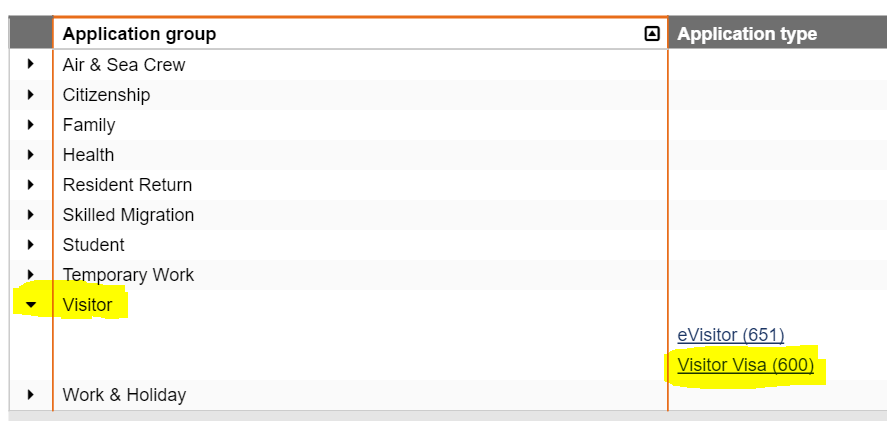
We applied for the standard visa for visiting and traveling around Australia, the Visitor visa (subclass 600). By the way, there is a free, more convenient and pleasant visa, the eVisitor (subclass 651), but it is only available to citizens of European Union countries and a few other European countries (as of October 2026, including the United Kingdom, Norway, and Switzerland). But enough of the sad stuff.
As of October 2026, a tourist visa to visit Australia costs Russians from 250 Australian dollars (per applicant) and lets you stay in the country for 3, 6, or 12 months (depending on what you ask for and how you justify it), with an entry window of 3 months. The average processing time for an Australian tourist visa (online) is 20 days, and the maximum under the rules is 30 days (in our case it took exactly 30). But judging by people's reviews, there are longer delays too.
The visa is fully electronic; nothing is stuck into your passport. All the information about your visa is linked to your international passport and kept in the database of the Australian immigration service.
Applying for an Australian visa online: step-by-step instructions for 2016
To start applying for an Australian visa online, first of all you need to create an account on the Australian immigration service website. Follow the link: => https://online.immi.gov.au/ola/app
Find the button for creating a new account:

Fill in the information required for registration and log in to your new account.
Here we need to create a new visa application, so we click the New application button:

after which a fairly long Australian visa application form opens. The first step here is to choose the type of visa you are applying for. In our case it is the Visitor visa (subclass 600):
Next you will need to answer all the questions on the form. The form itself and all the questions are in English. You should answer in English as well.
But people who don't know this foreign language that well shouldn't be too scared: luckily, there aren't many questions that need a detailed answer, and you can safely paste in text translated by some machine translator (e.g. Google Translate). The vast majority of the questions on the form are a matter of choosing one or more options from a list. Filling out the whole form takes ~1 hour.
Documents required for an Australian visa
After filling in all the information, you need to upload copies of documents from a list to the application. There is a list of mandatory documents and there are additional ones.
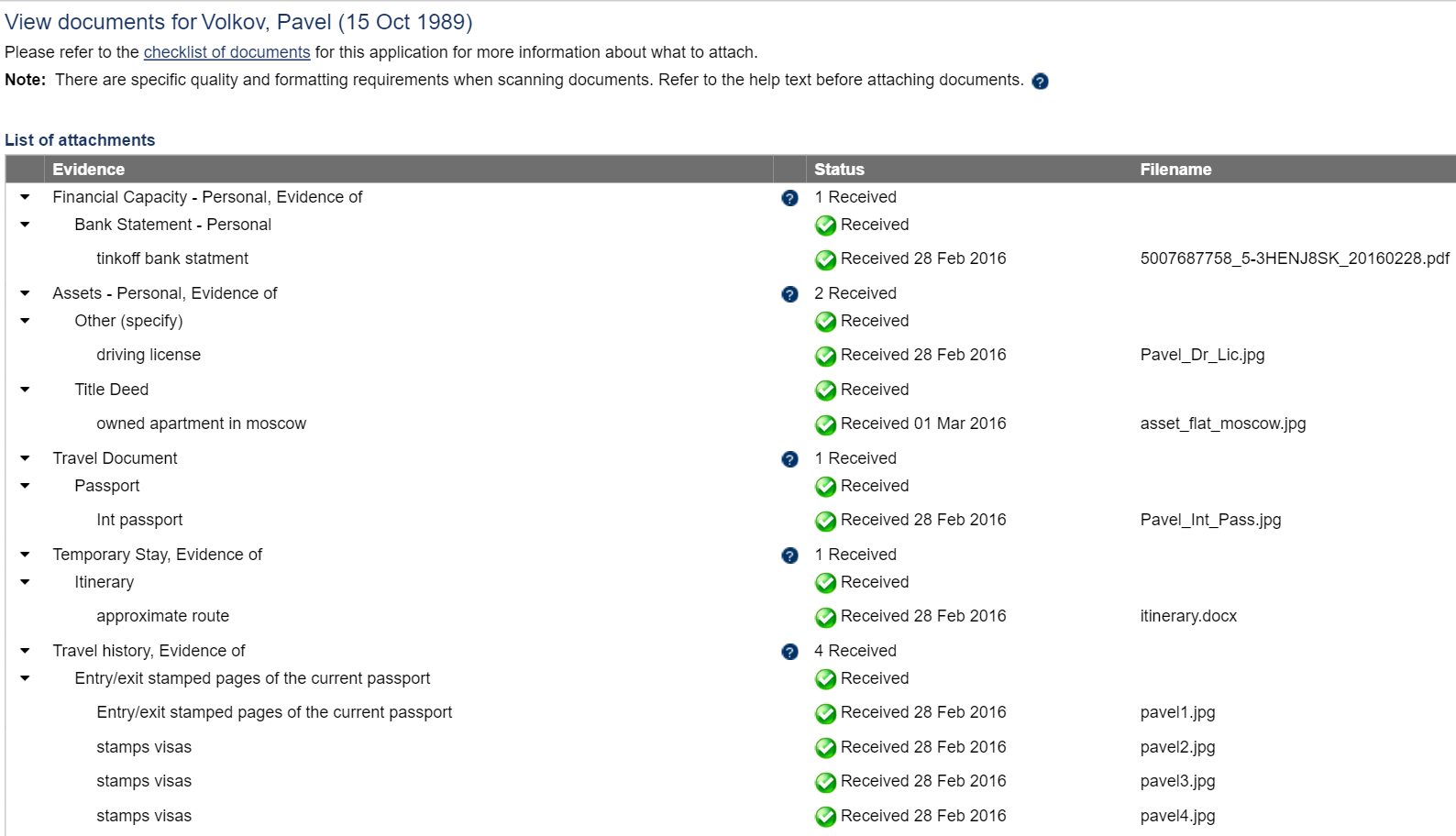
- You are required to prove that you have enough funds for the period of your stay in Australia. The exact minimum amount is unknown, but there is an opinion that it should be at least $1000 per person per month. We have a family budget and all the money was in one account, so the second person attached an almost empty account with a comment that we travel together and share a budget. There were no problems. We used a standard bank statement in PDF format, downloaded from our online account at TCS Bank.
- We also additionally uploaded the pages of our current international passports with all the stamps, as evidence of our travel history, and the pages with visas.
- You also need to upload a plan of your trip around Australia (Itinerary). For this we created a simple Word document where we wrote something like Perth — Sydney — Melbourne — Canberra — etc.
- In the Title Deed section you can upload certificates of any property you own. We attached a copy of the certificate of partial ownership of an apartment.
- And finally, we uploaded a copy of our driver's licenses.
Here is a screenshot of what we uploaded:
We uploaded all copies of Russian documents in the original without translations: in 2016 they were reviewed by Russian-speaking staff at the Australian consulate in Moscow. As of October 2026, documents not in English must be accompanied by an English translation.
Australian visa cost and paying the consular fee
Once you have finished filling out the form and saved all the information, the main page with the list of all your applications will offer to let you pay the fee for each application. For 2016 it was 125 AUD + a ~2-3% fee for paying by Visa or Mastercard.
That's it, the applications are paid for and being processed. Now we wait ~20 days, checking your e-mail and your IMMI account from time to time to see whether any remarks or questions for you have come in.
This is what the list of our Australian visa applications looked like:

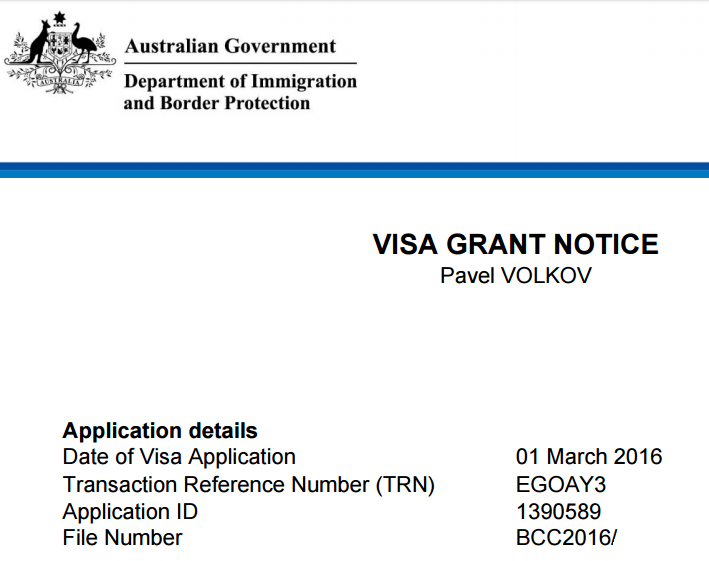
It is worth noting that there were no problems at all with our application; we got no requests for clarification and no calls. Exactly a month later the visa grants arrived by e-mail.
…which, by the way, we never ended up using :(
Comments
Thank you! Your comment has been sent and will appear after moderation.